 Storemast
Feature
Release an approved version from your iPhone
Approval often lands when you're away from your Mac. If you hold releases until you're ready, Storemast lets you press the button from your phone.
How it works
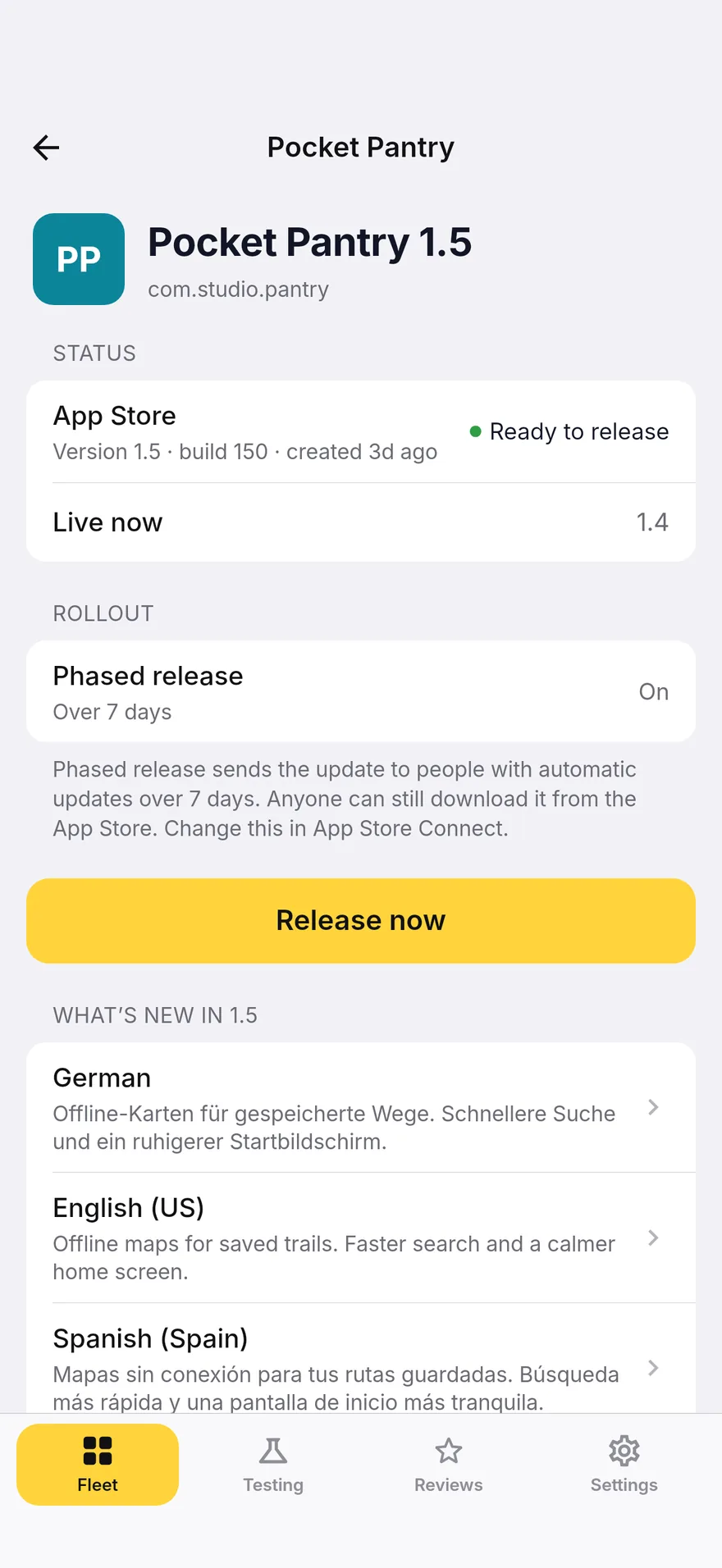
- Apple approves the version. If you chose to release it manually, App Store Connect marks it Pending Developer Release and Storemast shows it as Ready to release under Needs you.
- Open the app to see the version, its build, whether phased release is on, and What's New.
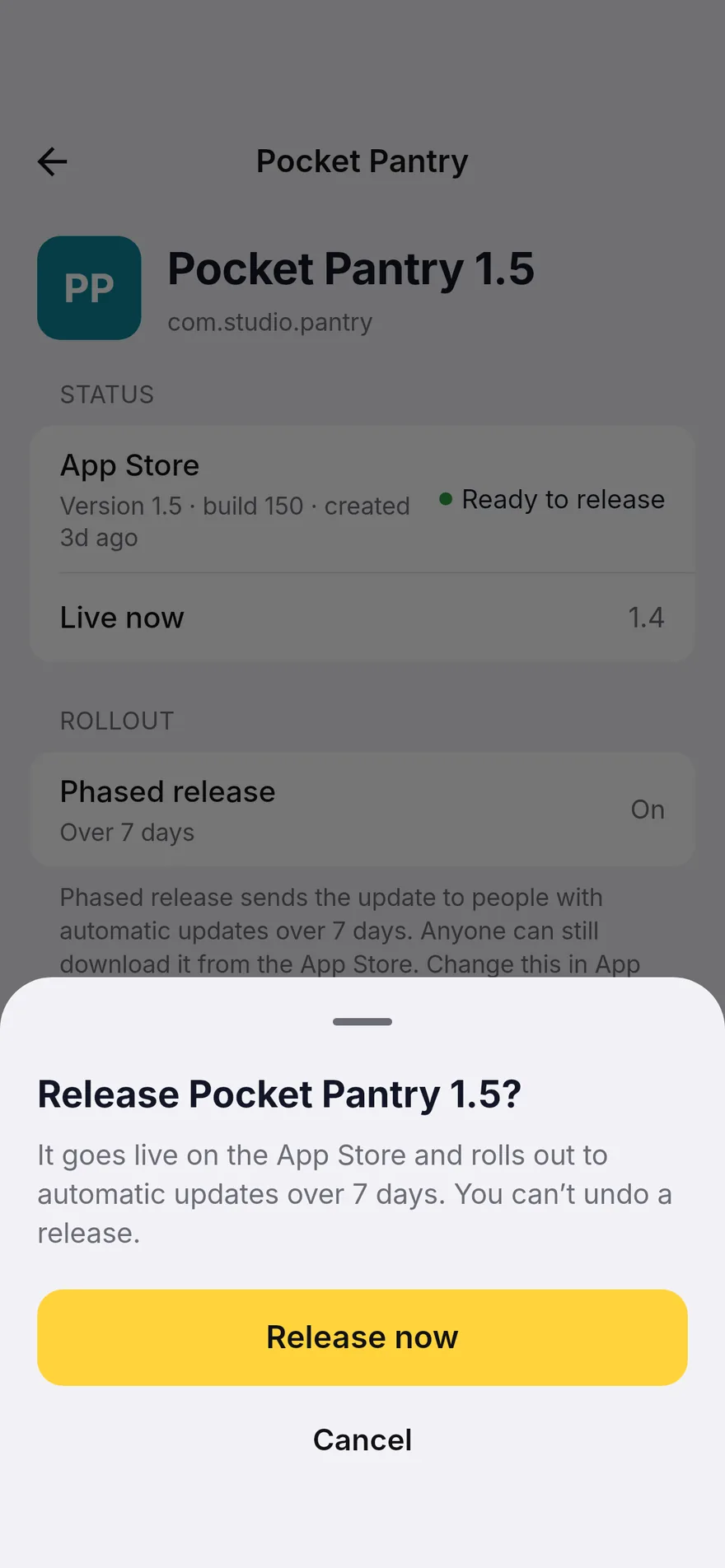
- Tap Release now. A sheet says exactly what will happen: the version goes live on the App Store and, if phased release is on, rolls out to automatic updates over 7 days. It also tells you a release can't be undone.
- Confirm with Face ID (or your passcode). Storemast sends the release request to Apple and the version moves on to processing and then live.
Phased or to everyone
If the version was submitted with phased release turned on, releasing starts a 7-day rollout to people with automatic updates. You then see the day and percentage and can pause, resume or release to everyone: see phased release. If phased release is off, the update goes to everyone at once.
Why hold releases at all?
Manual release lets you match the launch to a blog post, a server change or a time when you can watch crash reports. The catch is that approval can come at any hour. Storemast closes that gap; the full steps are in how to release an app update from your iPhone.
Safeguards
- Every change in Storemast, a release included, shows a confirmation and then asks for Face ID or your passcode.
- Look only mode hides Release, rollout and reply buttons on this phone, even if the key could do them.
- The API key's role still applies: a key with the Developer role can look but can't release. Use App Manager to release (see the API key guide).
The app preview
Questions
Which versions can I release from Storemast?
Versions in Pending Developer Release: approved by App Review, with the release option set to manual. Versions set to release automatically go out on their own, and scheduled releases go out at the date you chose.
Can I undo a release?
No. Once a version is released it goes live on the App Store, and Storemast says so on the confirmation sheet. If the release is phased, you can still pause the rollout of automatic updates.
Can I turn phased release on or off from Storemast?
Not yet. Choose phased release in App Store Connect before the version is released. After release, Storemast can pause, resume or complete it.
Can someone release by accident?
Every release asks you to confirm on a sheet that says what will happen, then asks for Face ID or your passcode. You can also turn on Look only for a key, which hides the Release button on that phone.