 Storemast
Feature
Edit What's New in every language, from your iPhone
Release notes are the last thing you write and the first thing a typo shows up in. Storemast lets you fix them per language from your phone, before the version goes to review.
How it works
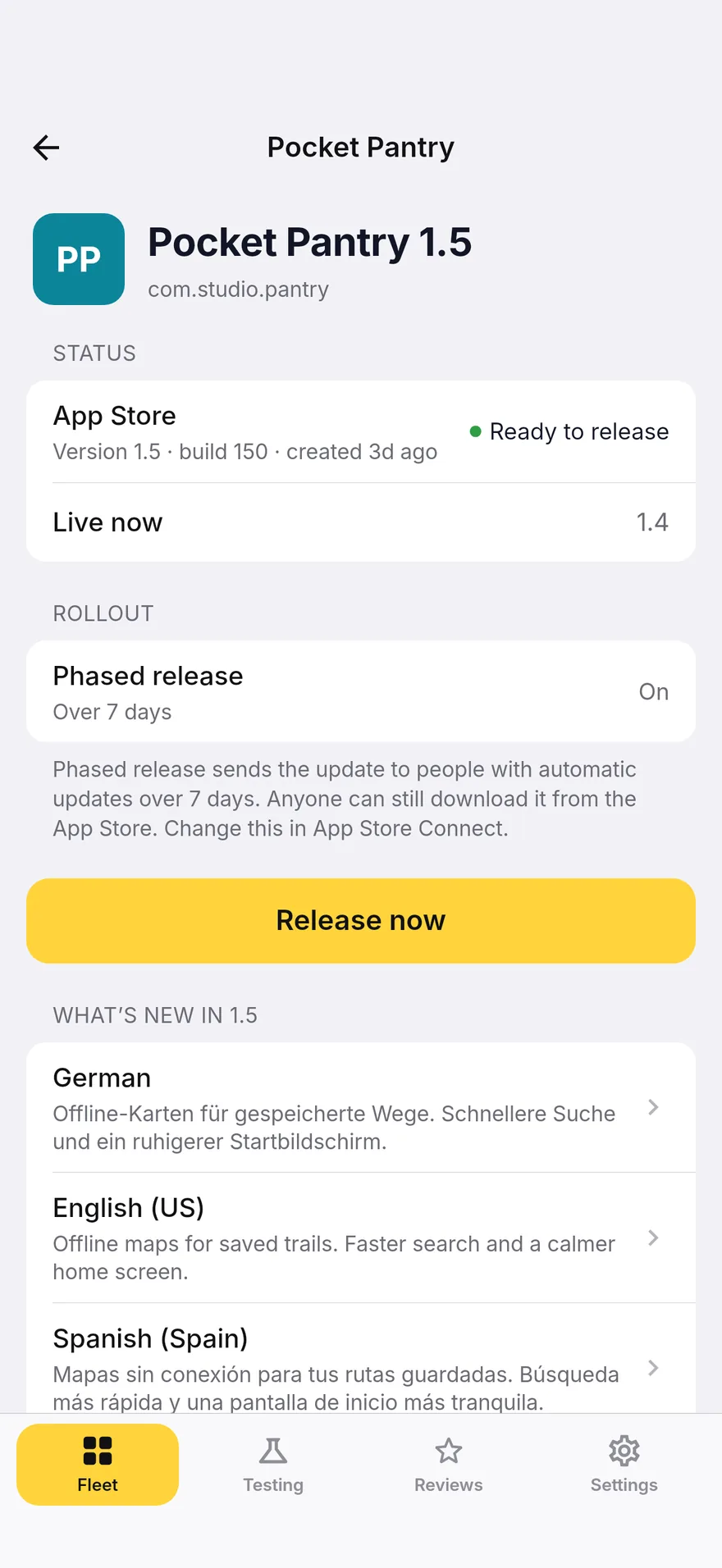
- Open an app from Fleet. The version in progress lists What's New for each of its languages, for example German, English (US), Spanish and French.
- Tap a language, edit the text, and save. Storemast counts the characters as you type.
- Confirm with Face ID. The change goes straight to App Store Connect.
The same screen shows the version's state, build number, phased release setting and the app's version history: earlier versions with their states and dates.
When editing is allowed
App Store Connect only accepts changes to a version's What's New while the version is editable. In Storemast that means versions shown as Preparing or Rejected. After you submit, the text is locked until the version is rejected or you remove it from review. See every App Store version status explained.
A first version (1.0) has no What's New on the App Store, because there's nothing to compare it with.
Tips for release notes
- Lead with what a user will notice: a new feature, a fix to something they complained about.
- Keep it short. Many people only read the first line or two in the update list.
- Write each language natively, or have someone check machine translation; a reviewer will notice.
- Thank people who reported a bug in a review, then reply to their review once the fix is live.
The app preview
Questions
When can I edit What's New?
While the version can still be edited: when it's being prepared for submission, or after a rejection or after you pull it from review. Once a version is waiting for review or in review, App Store Connect locks its What's New, and Storemast shows it read-only.
Can I add a new language in Storemast?
No. Storemast edits the languages the version already has. Add localizations in App Store Connect.
Does Storemast translate release notes?
No. You write each language yourself.