 Storemast
Feature
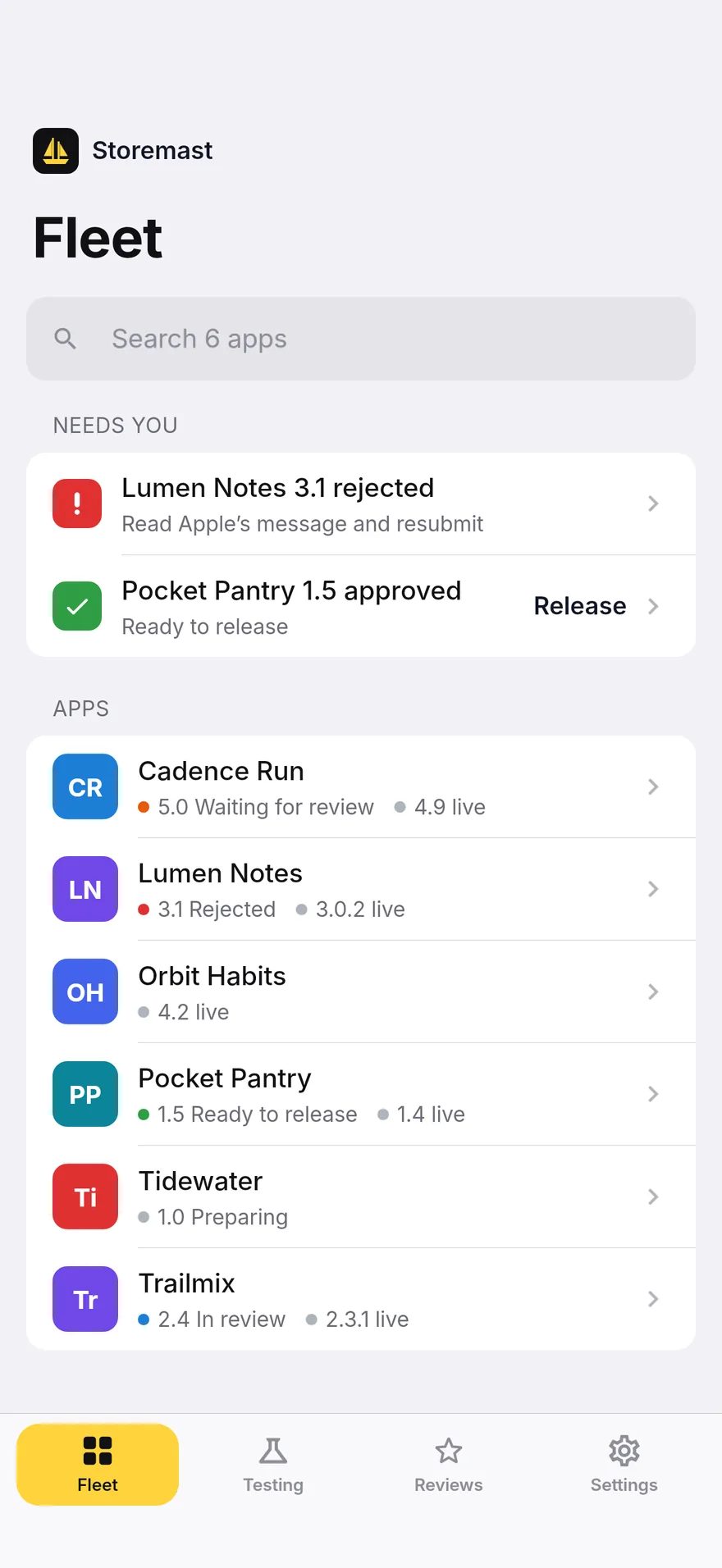
Review status for all your apps, on one screen
If you ship several apps, checking App Store Connect means opening each one. Fleet shows them all at once and puts what needs you at the top.
What Fleet shows
Each app gets one row with its icon, name and two versions:
- The live version: what's on the App Store now, for example 2.3.1 live.
- The version in progress, with a coloured dot and a word for its state: Waiting for review, In review, Rejected, Ready to release, Preparing or Processing.
Above the list, Needs you collects anything you have to act on: a rejected version (to read the message and resubmit) and an approved version waiting for you to release it. Search finds an app by name when the list gets long.
How App Store states map to Fleet
App Store Connect has more states than you need on a phone. Storemast groups them into a few plain words. For what each Apple state means and what to do about it, read every App Store version status explained.
| Storemast shows | App Store Connect state | Needs you? |
|---|---|---|
| Preparing | Prepare for Submission, Ready for Review, Developer Rejected | No |
| Waiting for review | Waiting for Review | No |
| In review | In Review | No |
| Rejected | Rejected, Metadata Rejected, Invalid Binary | Yes |
| Ready to release | Pending Developer Release | Yes |
| Scheduled | Pending Apple Release, Accepted | No |
| Processing | Processing for Distribution, Waiting for Export Compliance, Pending Contract | No |
| Live | Ready for Distribution (Ready for Sale) | No |
Open an app for the details
Tap an app to see its versions: the status, version and build number and when it was created, whether a phased release is set, What's New in each language, and the version history. From there you can release an approved version, steer a phased release or edit What's New.
If a version was rejected, Storemast tells you so and offers a link to the app in App Store Connect, because Apple's API doesn't share the rejection message.
The app preview
Questions
How often does Fleet update?
Fleet loads the latest state from App Store Connect when you open it and when you pull to refresh. Storemast doesn't send push notifications yet, so open the app to check.
Why doesn't Storemast show why my app was rejected?
Apple's App Store Connect API doesn't include App Review's messages from the Resolution Center. Storemast shows that a version was rejected and links you to App Store Connect, where you can read the message and reply.
Does Fleet include macOS or tvOS versions?
Not today. Storemast shows iOS App Store versions.