 Storemast
Guide
How long does App Store review take?
By the Storemast team · Last updated
TL;DR
Apple says most submissions are reviewed within 24 hours, but it promises no fixed time. Expect the clock to run longer for a brand-new app, around the end-of-year holidays and big iOS launches, and every time a version is rejected and resubmitted. If a critical bug fix or a dated event can't wait, you can request an expedited review once the version is submitted.
“How long does App Store review take?” is the question every iOS developer asks the first time they press Submit, and again before every deadline. The honest answer has two parts: what Apple says, and what changes the wait for your submission. This guide sticks to Apple's own statements, explains what makes a review slower, and shows how to ask for an expedited review when you really need one.
What Apple says about review times
Apple states that most submissions are reviewed within 24 hours. Its App Review page has described this for years as an average: the large majority of submissions done in under a day. That's the only figure Apple publishes, and it comes with no guarantee. Apple doesn't publish a maximum, a breakdown by app type, or a live queue length.
Two more things are worth knowing:
- “Reviewed” means a decision. The clock most developers watch runs from Waiting for Review through In Review to an approval or rejection. Time spent preparing the version, processing the build or waiting for you to release it doesn't count.
- Your submission isn't average. A small update to an established app and the first version of a new app with sign-in, payments and user content are very different jobs for a reviewer.
There's no official per-app estimate. Anyone quoting a precise “current review time” is reporting what they saw recently, not an Apple number.
The stages, and which one you're waiting on
App Store Connect shows a status for each version. The ones that matter for timing:
| Status | What's happening | Who's waiting on whom |
|---|---|---|
| Waiting for Review | Submitted and in Apple's queue. No reviewer has picked it up yet. | You on Apple. Usually the longest stretch. See Waiting for Review explained. |
| In Review | A reviewer is installing and testing the app. | You on Apple, but watch for messages: App Review may ask a question. |
| Rejected / Metadata Rejected | App Review found a problem and cited a guideline. | Apple on you. Nothing moves until you reply or resubmit. |
| Pending Developer Release | Approved, held because you chose manual release. | Apple is done. See Pending Developer Release. |
| Processing for Distribution | Released; Apple is getting it onto the store. | Usually a short wait. |
The full list is in every App Store version status explained.
What makes App Store review take longer
A brand-new app
The first version of an app is the most thorough review it will get: the reviewer has nothing to compare with, and checks the whole thing, from the business model and sign-in to privacy details and metadata. Leave more room before a launch date than you would for an update.
Complex or sensitive features
Apps with accounts, in-app purchases or subscriptions, user-generated content, health, finance, kids' categories or new entitlements simply have more to check. Anything a reviewer can't reach (a sign-in wall without a demo account, a feature that needs special hardware) is likely to lead to questions or a rejection under Guideline 2.1 (app completeness).
Rejections and resubmissions
The biggest delay most developers face isn't the queue, it's a rejection. Each rejection costs you the time to fix it and a new trip through review. Avoiding one is worth more than any trick to speed up the queue.
Busy periods
Submissions pile up around Apple's big moments: the run-up to the end-of-year holidays, the weeks after a major iOS release, and the days around WWDC. Apple usually posts a note on its developer news page before the holidays about submissions and reviews over that period. Read it, and get your holiday release approved early (you can approve now and release later with manual release).
Things that block the submission
Some delays aren't review at all: missing export compliance answers, an unsigned Paid Apps agreement (shown as Pending Contract after approval), or a build still processing. These show up as their own statuses, not as a long review.
How to get through review faster
- Give the reviewer a way in. If the app has sign-in, add a working demo account in App Review Information, and check it the day you submit. Note anything unusual: where a feature lives, hardware it needs, a test QR code.
- Explain what isn't obvious. Use the review notes for purchase flows, region-specific content, or why the app needs a permission.
- Match the metadata to the app. Screenshots, description and age rating should describe the build you're submitting. Metadata problems are a common, avoidable rejection.
- Fill in App Privacy and permission strings carefully. Every permission prompt needs a clear purpose string, and the privacy details should match what the app and its SDKs collect.
- Test the exact build. Install it from TestFlight on a real device before submitting. Crashes on launch are a fast way to a rejection.
- Submit early, release later. Choose manual or scheduled release so approval and launch day are decoupled.
How to request an expedited review
Apple offers expedited review for urgent cases. Apple describes it for situations such as a critical bug fix or an app tied to a time-sensitive event, and it decides each request on its merits. It isn't a paid service or a way to skip the queue for an ordinary update.
- Submit the version for review first. The request refers to a submission that's already in the queue.
- Open the request form. On Apple's developer website, go to Contact Us, choose App Review, then Request an Expedited App Review, and sign in.
- Pick the app and platform and say why it's urgent: for a bug, what breaks and for whom; for an event, the date and what's at stake.
- Send it and keep an eye on App Store Connect. Apple doesn't promise a time for expedited reviews either. If it's granted, the status usually moves sooner than it otherwise would.
Apple says it grants expedited reviews on a limited basis and that developers who request them often may find them harder to get. Keep it for real emergencies.
If your app is rejected
A rejection arrives as a message in App Store Connect citing the guideline. You can:
- Fix and resubmit. For Metadata Rejected, fix the listing and resubmit the same build; for Rejected, it's often a new build.
- Reply. If the reviewer misunderstood, reply in App Store Connect with an explanation, a screen recording or a demo account. This can be quicker than a new build.
- Appeal. If you disagree with the decision, you can appeal to the App Review Board.
App Review's messages aren't available through the App Store Connect API, so tools built on it, Storemast included, can show that a version was rejected but not why. You read and answer the message in App Store Connect.
Keeping track of reviews across several apps
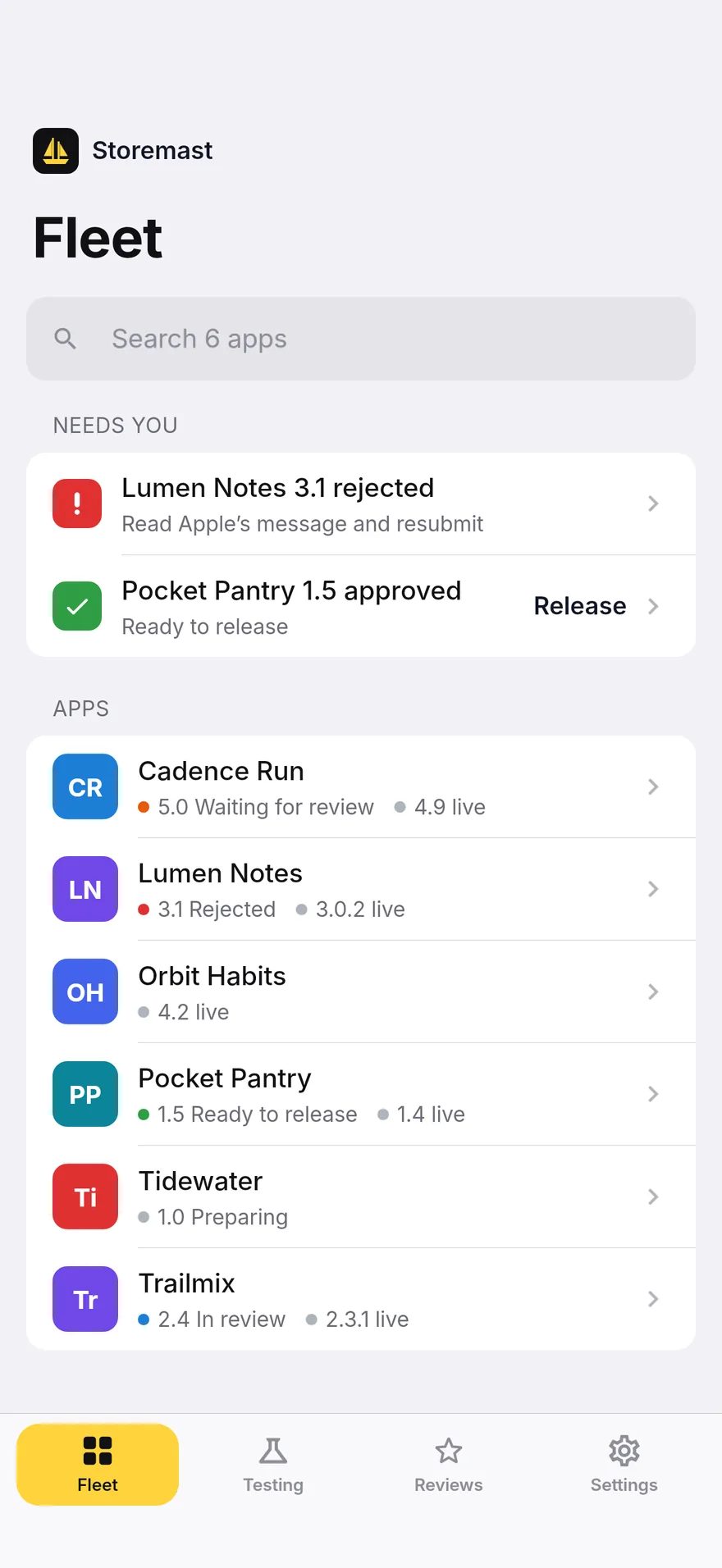
If you ship more than one app, the waiting adds up: one app in review, another waiting, a third approved and held for release. Storemast's Fleet screen on iPhone shows every app's live version and the one in progress with its review status, and pulls rejections and approved versions to the top under Needs you. It doesn't send notifications yet, so it's a quick look rather than an alert.
A simple plan for release dates
- Update to an established app: submit a few working days before you need it live, with manual release.
- New app or big feature launch: leave a week or more, so one rejection and a resubmission still fit.
- Anything near the holidays: aim to have it approved before Apple's holiday period starts.
- A fix that can't wait: submit, then request an expedited review.
Once it's approved and released, phased release gives you a week to catch problems before every user with automatic updates has the new version.
Questions
How long does App Store review take in 2026?
Apple says most submissions are reviewed within 24 hours. Apple doesn't guarantee a time, and individual submissions can take longer, especially new apps, apps with complex features and anything submitted around the holidays.
Why is my app still Waiting for Review after two days?
Queues vary, and some submissions need more attention than others. Check that nothing is blocking the submission (agreements, export compliance) and that App Review hasn't sent you a message. If a delay hurts users, you can request an expedited review.
Does a rejection reset the review time?
Yes, in practice. Once you fix the issue and resubmit, the version goes back into the queue and is reviewed again. Replying to App Review in App Store Connect without a new build can be quicker when the rejection was a misunderstanding.
How do I request an expedited App Store review?
Submit the version first, then use the Request an Expedited App Review form on Apple's developer website (Contact Us › App Review). Explain the critical bug or the dated event. Apple grants these at its discretion, and asking too often makes them less likely.
Are TestFlight builds reviewed as well?
Builds for external TestFlight testers go through TestFlight App Review, usually for the first build of each version. Internal testers can test without that review.
Does App Review work at weekends?
Apple doesn't publish a review schedule. Developers regularly see reviews completed at weekends, but plan important releases as if no one will look at your app until a working day.