 Storemast
Feature
Translate release notes and store listings with AI
Writing release notes once is fine. Writing them in fifteen languages is where updates stall. Storemast translates from your main language into the others, and nothing is saved until you've checked it.
What it translates
Wherever Storemast lets you edit text in several languages, it offers Translate from your main language:
- What's New for an App Store version, and release notes for a Google Play release (What's New in every language).
- The store listing: on the App Store the description, keywords, promotional text, name and subtitle; on Google Play the title, short description and full description (store listing editor).
- What to Test for a TestFlight build, the note beta testers see when they install it (testers and beta builds).
The main language is the app's primary language in App Store Connect, or the default language of the Google Play listing.
How it works
- Write the main language. Open the app's version, listing or TestFlight build and get the text right in your main language first, for example English (US).
- Tap Translate from English (US). Storemast sends that text, the field limits and the list of target languages to be translated.
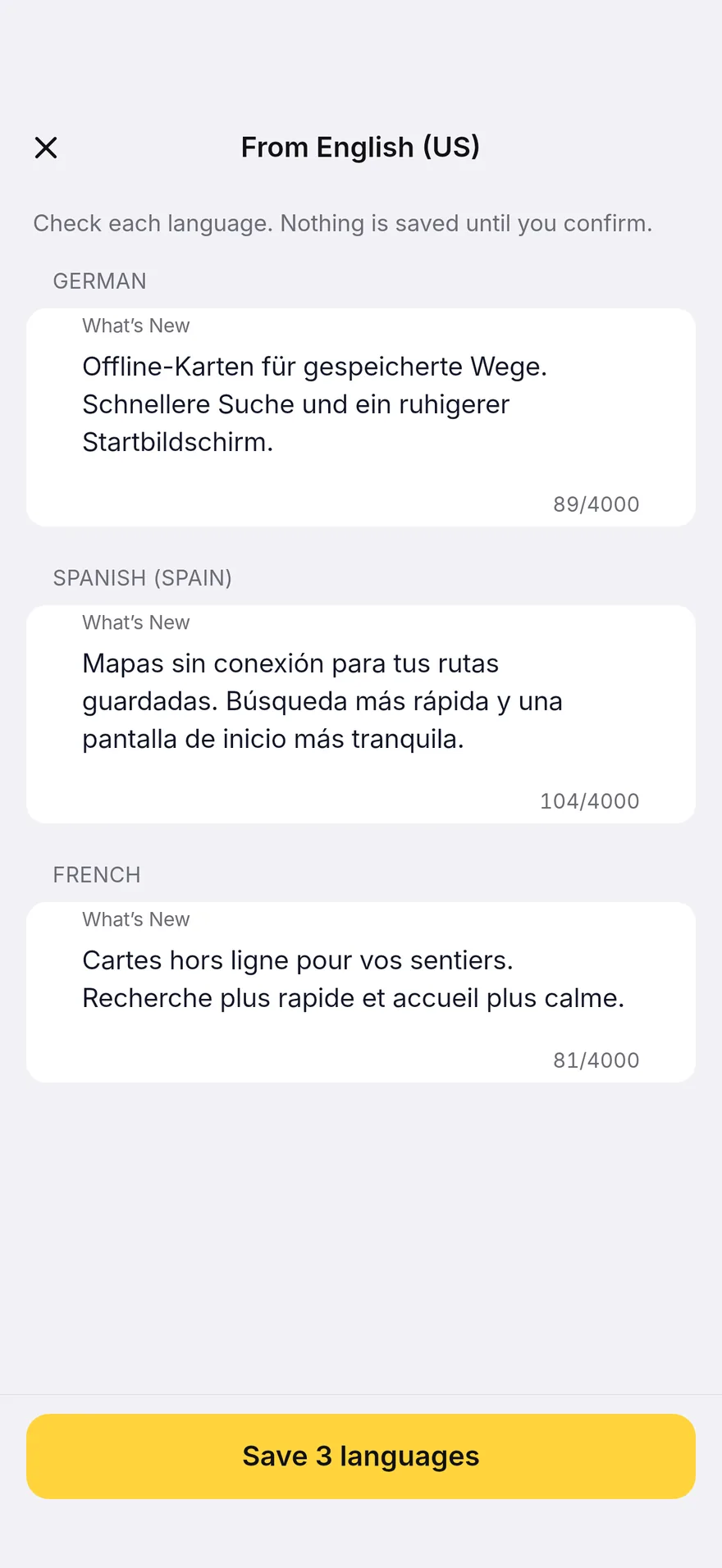
- Check each language. The results come back on one screen, one box per language, each with a character counter against the store's limit (4,000 for App Store What's New, 500 for Play release notes, 100 for keywords, 30 for a name). Edit anything that reads wrong.
- Save once. Tap Save, read what will change, and confirm with Face ID. Storemast writes every language in one go. Close the sheet instead and nothing changes.
Credits and your own key
AI translation is part of Storemast Pro ($5.99 a month or $39.99 a year, US prices, with a 3-day free trial). Pro includes 60 AI credits a month, worth about US$0.60 of AI model cost:
- A short text, such as release notes or What to Test, fits into every language.
- A full 4,000-character description fits into about a dozen languages. If your listing has more, Storemast translates the ones that fit and names the rest, so you can finish them next month.
- Credits renew on the 1st. Settings › AI translation shows how many are left.
If you translate a lot, add your own Anthropic API key in Settings › AI translation. Translations then run on your Anthropic account with no monthly limit, and the key is kept in the iPhone Keychain like your store keys.
Where your text goes
With Pro credits, the text you chose to translate, the language codes and your anonymous subscription ID go to Storemast's translation service at storemast.app, which checks your subscription and passes the text to Anthropic. The translations come back to your phone. Storemast doesn't keep the text or the translations, only how many credits you've used. With your own key, the text goes from your iPhone straight to Anthropic and nothing passes through Storemast. Your App Store Connect and Google Play keys are never sent anywhere. Details are in the privacy policy.
Limits to know
- Check it. Machine translation is a draft. Have someone who speaks the language read store-facing text, especially keywords, which work best when they match what people search for in that country (see App Store keywords).
- Only existing languages. Storemast fills in languages the version or listing already has; it doesn't add new ones.
- Only editable text. Apple locks the description, keywords and What's New once a version is submitted, so translation is offered while the version can still change. Promotional text can change any time.
- Text, not images. Screenshots, app previews and the app's own screens aren't translated.
For a wider view of which languages are worth adding, read the App Store localization guide.
Questions
How many translations do 60 AI credits cover?
Storemast Pro includes 60 AI credits a month, worth about US$0.60 of AI model cost. That's enough to translate a short text, such as release notes, into every language, or a full 4,000-character description into about a dozen. Credits renew on the 1st of each month.
What happens when my credits run out?
Storemast translates the languages that fit the credits you have left and lists the ones it didn't cover, so you can do them next month, write them yourself, or add your own Anthropic API key, which has no monthly limit.
Is my text stored?
No. With Storemast Pro credits, the text goes through storemast.app to Anthropic, which translates it, and comes back to your phone. Storemast keeps only how many credits you've used. With your own Anthropic key, the text goes from your iPhone straight to Anthropic.
Can it add a new language to my listing?
No. Storemast translates into the languages the version or listing already has. Add a language in App Store Connect or Play Console first, and it appears in Storemast.