 Storemast
Feature
Start a version and submit it for review from your iPhone
The build finished uploading while you were out. Storemast lets you do the rest of the App Store Connect checklist from your phone: start the version, pick the build, choose how it goes live and send it to App Review.
From live to in review, on the phone
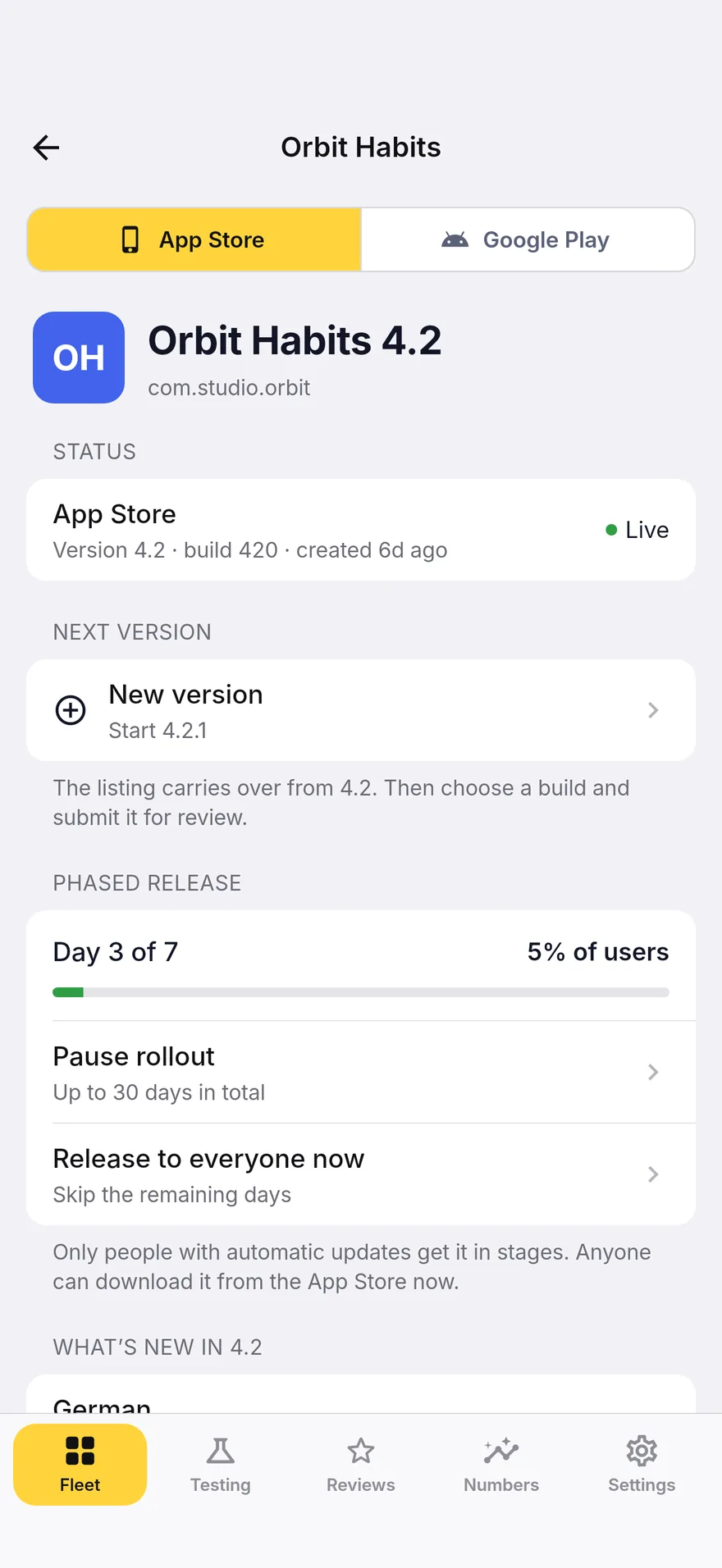
Open an app in Fleet. When nothing is on its way to the App Store, a New version row suggests the next patch number, for example Start 4.2.1 after 4.2. Change the number if you're planning 4.3 or 5.0.
The new version starts in Prepare for Submission and its listing carries over from the live one, so you only change what's new: What's New, and the description and keywords if you like.
How it works
- Create the version. Tap New version, check the number and confirm. Storemast creates it in App Store Connect.
- Choose the build. Builds appear once App Store Connect has processed them. Pick one; until you do, Storemast reminds you to upload a build from Xcode, Transporter or your CI.
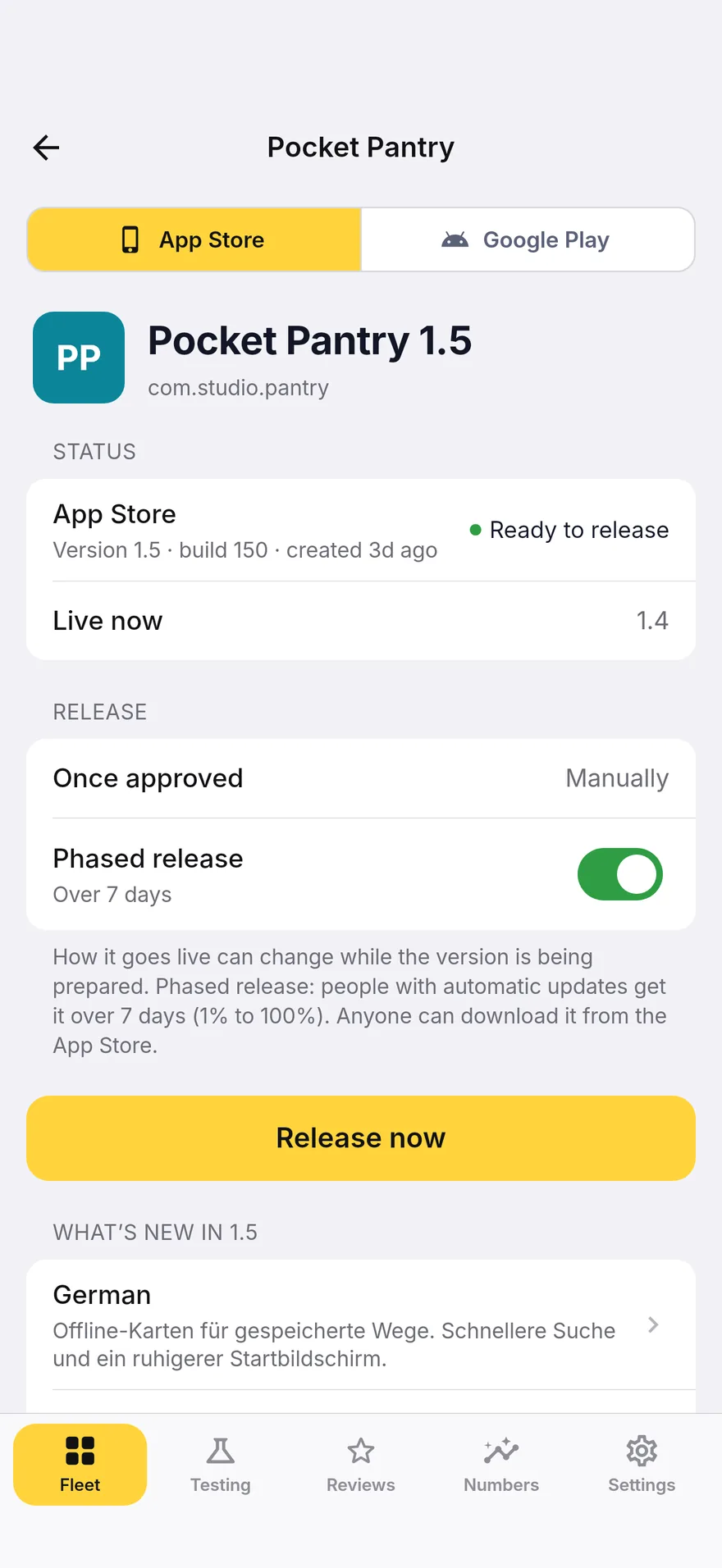
- Choose how it goes live. Under Once approved, pick Manually (you release it, from Storemast if you like), Automatically after approval (live as soon as Apple approves it) or On a date (not before the date and hour you choose). Turn Phased release on to roll the update out to automatic updates over 7 days.
- Submit for review. Storemast says what will be sent, asks for Face ID and submits the version with its build and listing as they are in App Store Connect.
When Apple refuses a submission
Submitting is when Apple checks the version as a whole. If something is missing, Apple refuses the submission right away and says why: for example a missing screenshot, App Privacy answers or export compliance. Storemast shows every reason Apple returns, not just the first, so you can fix them in one pass. Listing text can be fixed in Storemast; images and App Privacy are fixed in App Store Connect.
That's different from a rejection by App Review after review. Apple's API doesn't include App Review's messages, so for a rejection Storemast shows the state and links you to App Store Connect to read and reply. See every App Store version status explained.
Waiting for review, and taking it back
Once submitted, the version shows as Waiting for review and then In review in Fleet. Apple says most submissions are reviewed within 24 hours; read how long App Store review takes and what Waiting for Review means.
Spotted a problem? Remove from review takes it back: Apple stops reviewing it and it returns to being prepared, so you can change the build, the text or the release options. Submitting again puts it at the back of the queue.
After approval
With manual release, an approved version waits as Ready to release under Needs you; release it with Face ID. With phased release on, you can then pause, resume or finish the rollout.
Limits to know
- iOS App Store versions only; macOS, tvOS and visionOS versions aren't shown.
- Storemast doesn't upload builds or change screenshots, App Privacy or age ratings.
- Once approved can change while the version is being prepared. Phased release can be switched on or off until the version is released.
- Creating versions and submitting are part of Storemast Pro, and the API key needs the App Manager role or higher.
- For Google Play, a draft release can be rolled out to production from the app's screen, and testing builds promoted between tracks (see testers).
Questions
Why was my submission refused?
Apple checks the whole version when you submit. If something is missing, such as a screenshot, App Privacy answers or export compliance, Apple refuses the submission and Storemast shows every reason Apple gives. Fix those in App Store Connect, or the listing text in Storemast, and submit again.
Can I read App Review's rejection message in Storemast?
No. Apple's API doesn't include App Review's messages from the Resolution Center, so after a rejection Storemast links you to App Store Connect to read and reply.
Can I take a version back from review?
Yes, while it's waiting for review or in review. It goes back to being prepared so you can change it. Submitting again puts it at the back of the queue.
How long does App Review take?
Apple says most submissions are reviewed within 24 hours. It doesn't publish an exact time; see our guide on App Store review time.