 Storemast
Guide
TestFlight external testing: add testers, public links and Beta App Review
By the Storemast team · Last updated
TL;DR
External testers are people outside your App Store Connect team: up to 10,000 per app, Apple's documented limit (internal testing is up to 100 team members). You put them in an external group, add a build, fill in Test Information and submit the build to TestFlight App Review; the first build of a version gets a full review, later ones may not. Invite testers by email, by CSV, or with a public link that can have a tester limit and device or OS criteria. Every build stops working 90 days after upload.
Internal testing gets a build to your own team within minutes. The moment you want feedback from clients, customers or a public beta, you need external testing: a different kind of group, a review step and a few settings that aren't obvious the first time. This guide walks through it in order, sticking to what Apple's App Store Connect Help documents. For the bigger picture (feedback, statuses, common problems) see the TestFlight guide.
Internal vs external testers in one table
| Internal testers | External testers | |
|---|---|---|
| Who | App Store Connect users on your team with the Account Holder, Admin, App Manager, Developer or Marketing role | Anyone with an email address or your public link |
| Limit (Apple's documented) | Up to 100 | Up to 10,000 per app |
| Review | None | TestFlight App Review |
| How they join | Email invitation | Email, CSV import or public link |
| Who can set it up | Account Holder, Admin, App Manager | Account Holder, Admin, App Manager |
Apple's TestFlight page also says testers can install the betas you share with them on up to 30 devices.
Before you start
- An internal group. Apple's help says you must create an internal group before you can create an external one. It's worth having anyway: your team should test every build before strangers do.
- A build that isn't “Internal Only”. Builds uploaded from Xcode or Xcode Cloud as TestFlight Internal Only can only be added to internal groups.
- Export compliance answered. A build stuck on Missing Compliance can't go anywhere until you answer the encryption question.
- The right role. Creating external groups, adding builds and submitting them for review needs Account Holder, Admin or App Manager.
Test Information: what reviewers and testers read
External testing needs Test Information, found in the app's TestFlight section under Additional. Apple marks the beta app description as required and asks for a feedback email (testers reach you through it in the TestFlight app, and it's the reply-to address on invitations) and contact information for the reviewer. You can fill it in per language, and it doesn't have to match your App Store metadata.
If the app needs an account, give the reviewer sign-in details for a demo account. A reviewer who can't get past your login screen is a common reason for a beta build to bounce. Test Information can be updated at any time, and the changes appear in the TestFlight app.
How to set up external testing
- Create the group. In the TestFlight tab, click the plus next to External Testing, enter a name and click Create. Names like Clients, Public beta or Payments redesign make it obvious later who got what. You can rename a group.
- Add a build. Click the plus next to Builds, pick the platform, version and build. Apple's help notes you add one build at a time.
- Write What to Test. The dialog asks what testers should focus on. Localized versions are optional. Keep it short: what changed, what to try, known issues.
- Decide on notifications. With Automatically notify testers ticked, testers hear about the build once it's approved. Untick it and you notify them yourself afterwards.
- Submit for review. Click Submit Review (or Start Testing, if the build doesn't need review).
- Invite testers by email or a public link, as below. They need the free TestFlight app on their device.
TestFlight App Review (Beta App Review)
Every build you give to an external group is checked against the App Review Guidelines first. Apple calls it TestFlight App Review; the API and many developers call it Beta App Review. What Apple documents about it:
- The first build of a version needs a full review. Later builds of the same version might not, so a second build of 2.4 often reaches testers faster than the first.
- Six builds a day. You can submit up to six builds for TestFlight App Review in a 24-hour period.
- One at a time per version. Only one build of a version can be in review at once.
- Approval emails go to Admins. Users with the Admin role get the email when a build is approved.
- Rejections show as Rejected, with the details under App Review in the app's sidebar. To appeal, contact TestFlight App Review.
How long it takes: Apple doesn't publish a figure for TestFlight App Review. Plan for it like any review and don't promise a tester a build “today” until it's approved. App Store review is a separate queue with its own statement from Apple; see how long App Store review takes.
How to add testers to TestFlight
By email or CSV
In the group, you can invite new testers by name and email, pick testers who are already on other groups, or import a CSV file. You can also filter existing testers by device type before adding them. For testers invited this way, App Store Connect shows their name and email next to installation dates, sessions and crashes.
Each invited tester gets an email from TestFlight, opens it on their iPhone or iPad, and taps through to the TestFlight app to accept and install. If an invitation goes missing, it's usually a typo or a spam folder; resend it, or send the public link instead.
With a TestFlight public link
A public link lets anyone join without you collecting their email first. It's what you put on a website, in a newsletter or in a support reply. When you enable it, Apple lets you choose:
- Open to Anyone, or Filter by Criteria: device or platform plus an OS version rule (a range, a minimum, a maximum, or all supported versions). At least one criterion is needed if you filter.
- A tester limit between 1 and 10,000, optional.
You can change the criteria, the limit and the link's availability later, or disable it at any time. Two things to know before you post one: anyone can share it onward, and testers who join by link appear anonymously (no name or email), though you still see installs, sessions and crashes. The group page shows insight cards when a build is incompatible, when the link is full or when a build is about to expire. A public link only lets people in once a build in that group has passed review.
Storemast's own beta runs on TestFlight; see how to join the Storemast beta for what this looks like from the tester's side.
Groups: one per audience
Builds are given to groups, not to individual testers, so the way you split groups decides who sees what:
- Team (internal): every build, automatically.
- Clients or stakeholders (external, email): builds you're happy to demo, with names visible so you know who installed.
- Public beta (external, public link with a limit): stable builds only.
- Feature groups: a small external group for a risky change, with its own What to Test.
A build can sit in several groups at once, and each group can have a different newest build. To stop a build for everyone, expire it; testers then need a newer build from their group.
What to Test: the note testers actually read
What to Test is per build and shows in the TestFlight app next to the install button. Testers see it at the moment they're about to open your app, which makes it more effective than any email. A useful pattern:
- One line on what changed.
- Two or three things to try, in order.
- Known issues, so you don't get ten reports of the same bug.
- How to send feedback: “take a screenshot and tap Share Beta Feedback”.
If your testers are spread across countries, What to Test can be localized per language. Storemast can translate it from your base language and show every language for you to check before anything is saved.
Builds last 90 days
Apple's TestFlight overview says a build can be tested for up to 90 days; after that it becomes unavailable to testers. That includes external testers who joined by public link. A long-running public beta therefore needs a new build at least every three months, and the first build of a new version needs review again, so start early. The TestFlight build expiry guide has a routine for staying ahead.
Common problems with external testing
- “Add build” doesn't offer your build. It's still processing, waiting on export compliance, or it was uploaded as Internal Only.
- You can't create an external group. Create an internal group first.
- Testers say the link is full or not accepting testers. The tester limit was reached, the link was disabled, or no build in the group is approved and available.
- Some people can't join from the link. Their device or OS doesn't meet the criteria you set. App Store Connect shows how many people didn't meet them.
- A new build didn't reach testers. It's waiting for review, or “Automatically notify testers” was off and nobody notified them.
- The beta stopped working. The build passed 90 days. Add a newer one.
External testing from your iPhone
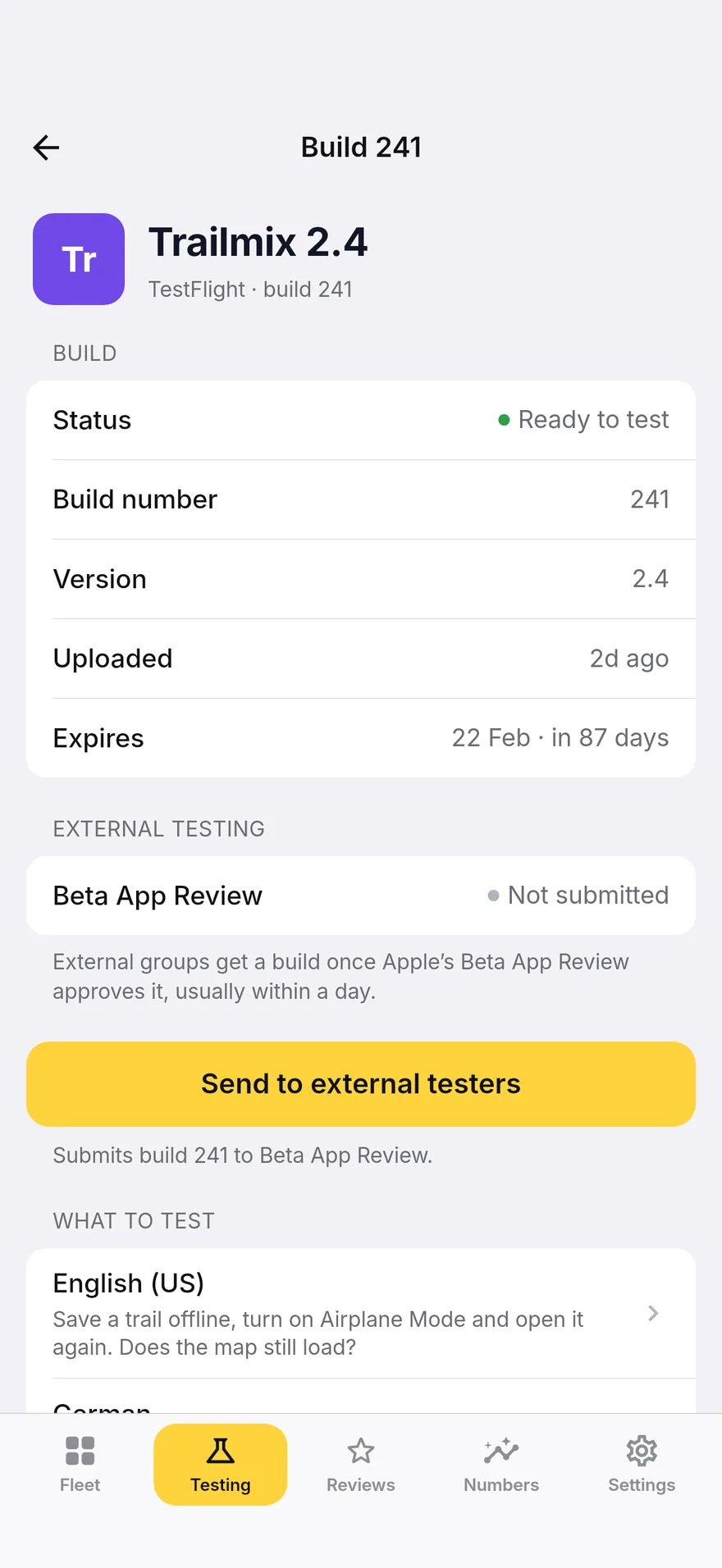
Most of this is a few clicks in App Store Connect, but it happens at awkward times: a client asks for access at dinner, a build finishes processing on a Sunday. Storemast's TestFlight testers and groups screens cover the day-to-day parts from your iPhone: add a build to a group or take it out, Send to external testers (submit it to Beta App Review), invite a tester by email or remove one, turn a group's public link on or off and copy it, edit What to Test, expire a build and read screenshot and crash feedback. Each change shows what will happen and asks for Face ID. Setting a public link's tester limit or criteria, and Test Information, stay in App Store Connect.
On Android the equivalents are Google Play's closed and open testing tracks; Storemast shows those too, with the Google Groups of testers per track and promoting a build from one track to another. The Google Play Console guide maps one to the other.
Questions
How many external testers can TestFlight have?
Up to 10,000 external testers per app, Apple's documented limit. Internal testing is separate: up to 100 members of your App Store Connect team.
Do external TestFlight builds need review?
Yes. Builds for external groups go through TestFlight App Review. Apple says the first build of a version needs a full review and later builds of the same version might not.
How long does TestFlight beta review take?
Apple doesn't publish a time for TestFlight App Review. Submit a few days before you need testers to have the build, especially for the first build of a new version.
Can I limit who joins with a TestFlight public link?
Yes. You can set a tester limit from 1 to 10,000 and, instead of Open to Anyone, filter by criteria such as device type and OS version. You can change the settings or disable the link at any time.
Why can't I add a build to my external group?
Builds uploaded as TestFlight Internal Only, from Xcode or Xcode Cloud, can only go to internal groups. Upload a normal build for external testing.
Can I manage TestFlight testers from my iPhone?
Yes. Storemast, with Storemast Pro, lets you add builds to groups, send a build to Beta App Review, invite or remove testers, turn a group's public link on or off and edit What to Test, confirmed with Face ID.